Simplify building layouts
Create SuperSource macros or vMix virtual sets in seconds.
Released 23rd April, 2026.
v1.6 is the biggest visual and workflow update to H2R Layouts (the app) since the layout editor first landed. It touches almost every part of the app: a brand new editor, a way to kick off layouts from presets, a collapsible sidebar, an export-to-macro flow, and a lot of small polish along the way.
Here’s everything that’s new.
The biggest change in v1.6 is the layout editor. If you’ve used previous versions, you’ll remember it as a stack of box controls with numeric inputs for position and size. That worked, but it was slow to dial in, and it made you do the visualising in your head.
In v1.6 the editor is a split view: a live canvas on one side, properties on the other. Both panels scale to your window, so whether you’re on a laptop or a big studio monitor the editor fills the space sensibly.
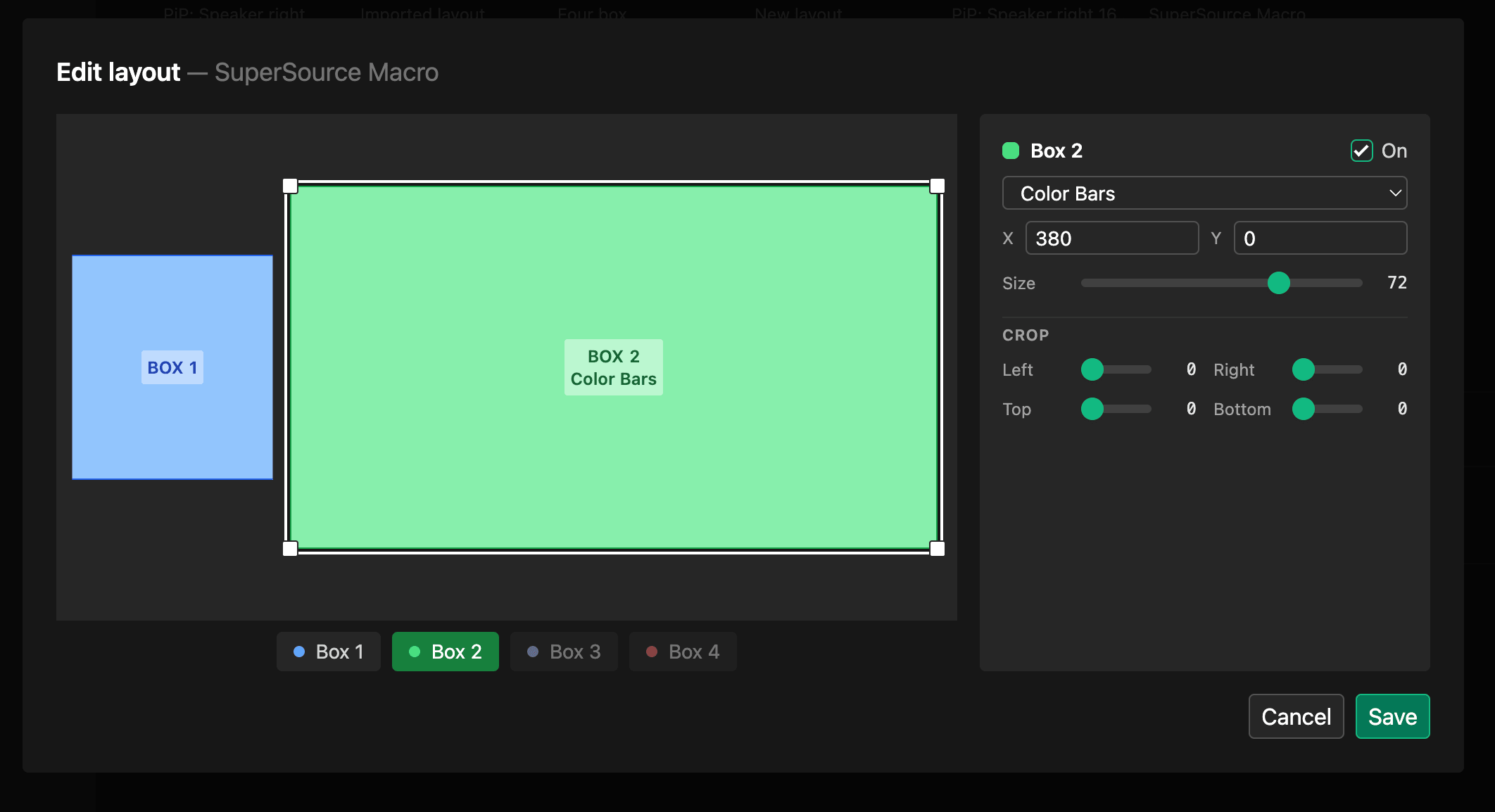
You can now grab a box on the canvas and move it. As you drag, snap guides appear: snap-to-center against the canvas, and snap against the edges and centers of other boxes. That means you can line things up by eye and trust the result.
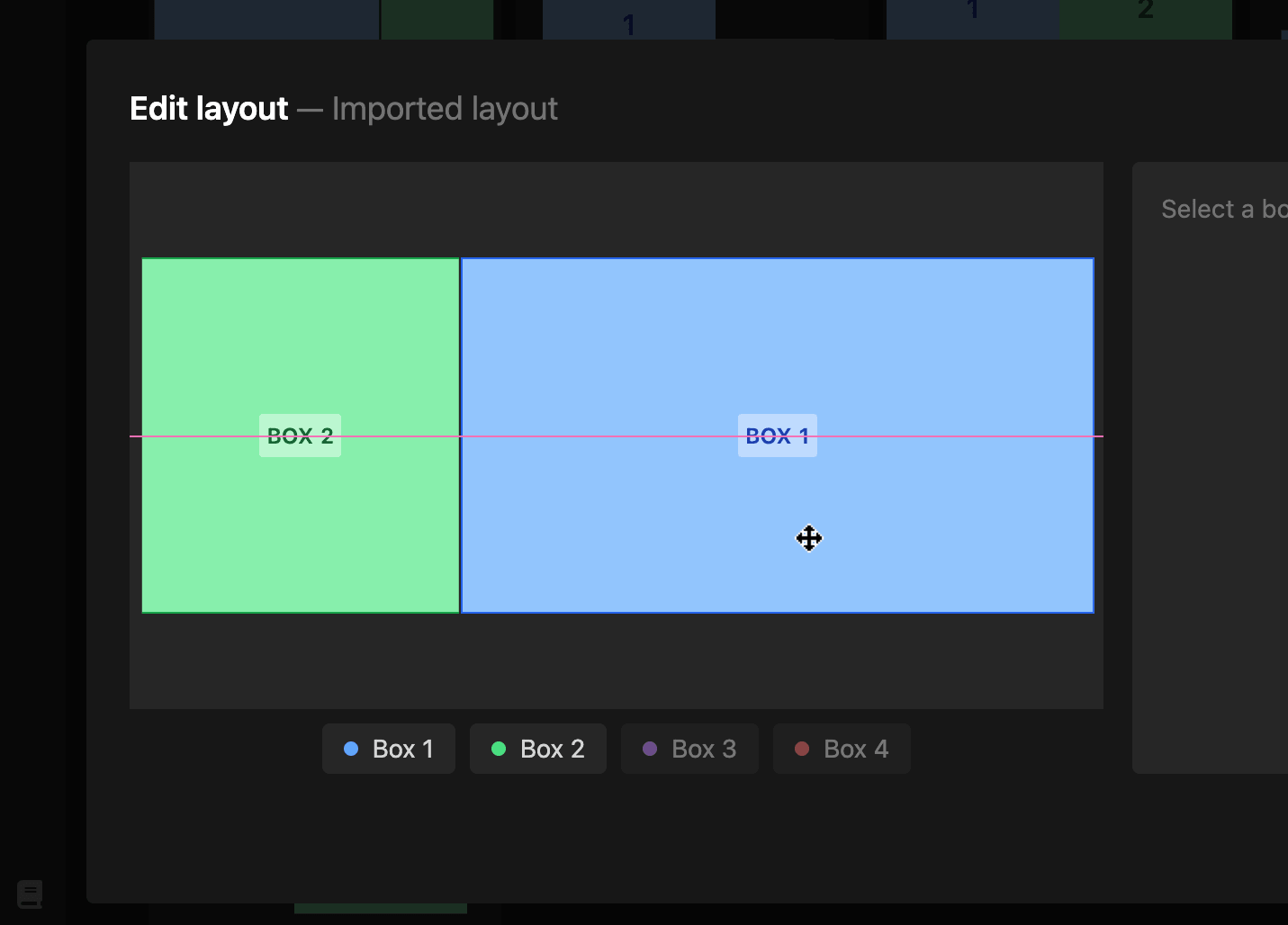
Each selected box gets corner handles. Drag a corner to resize, and the numeric fields in the properties panel update in real time. If you need pixel-accurate values, the inputs are still there; the canvas is a faster way to get close.
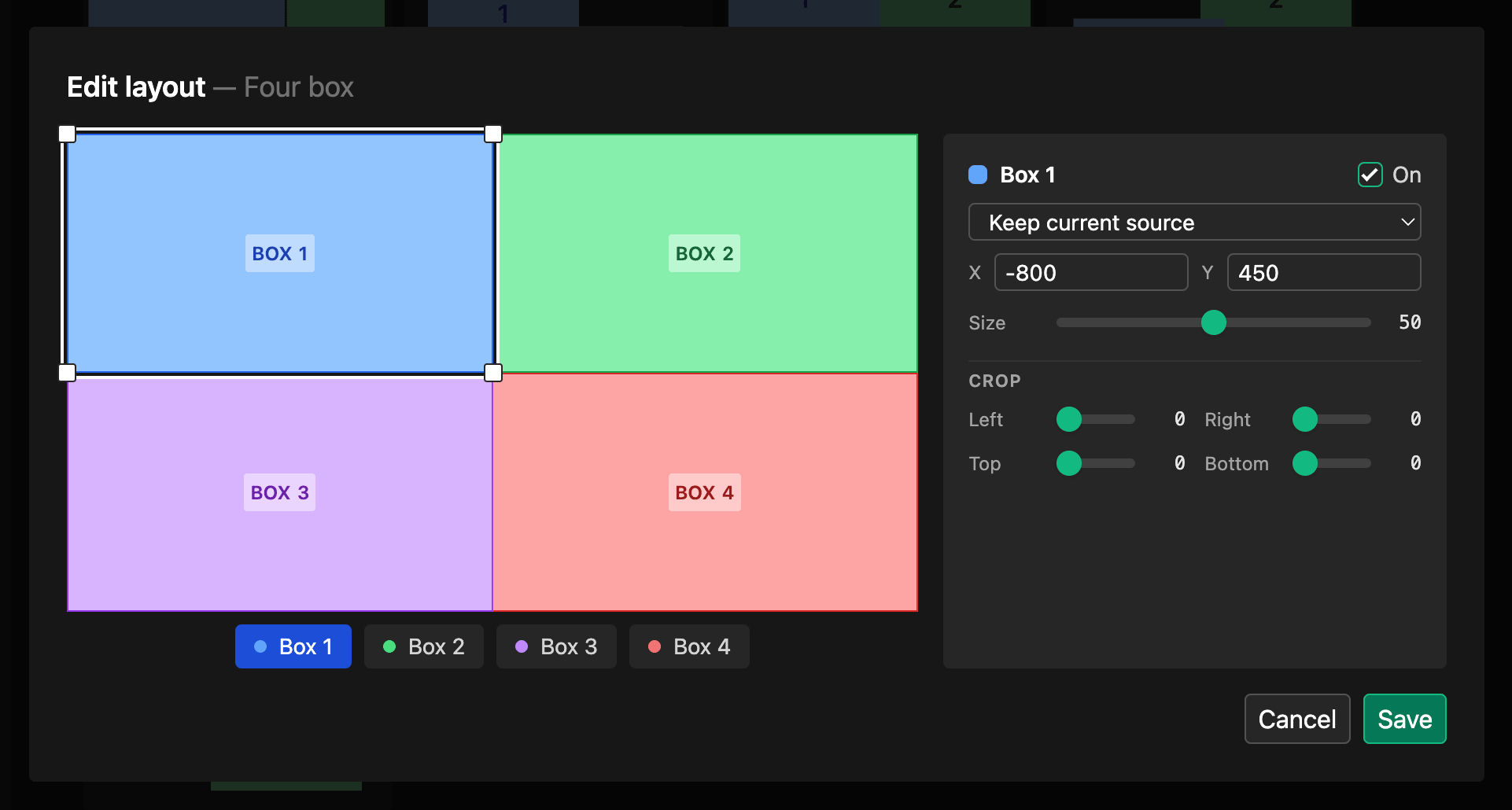
Hold shift and click multiple boxes to select them together. Drag any of the selected boxes and the others move with it. This is huge for moving a group of related boxes (say, a row of talking heads) without having to adjust each one.
Click anywhere on the canvas background and your selection clears. Small thing, but it keeps the editor feeling direct.
The properties panel got a visual pass too. Tighter spacing, restyled sliders, and cleaner checkboxes. Less visual noise, more room for your layout.
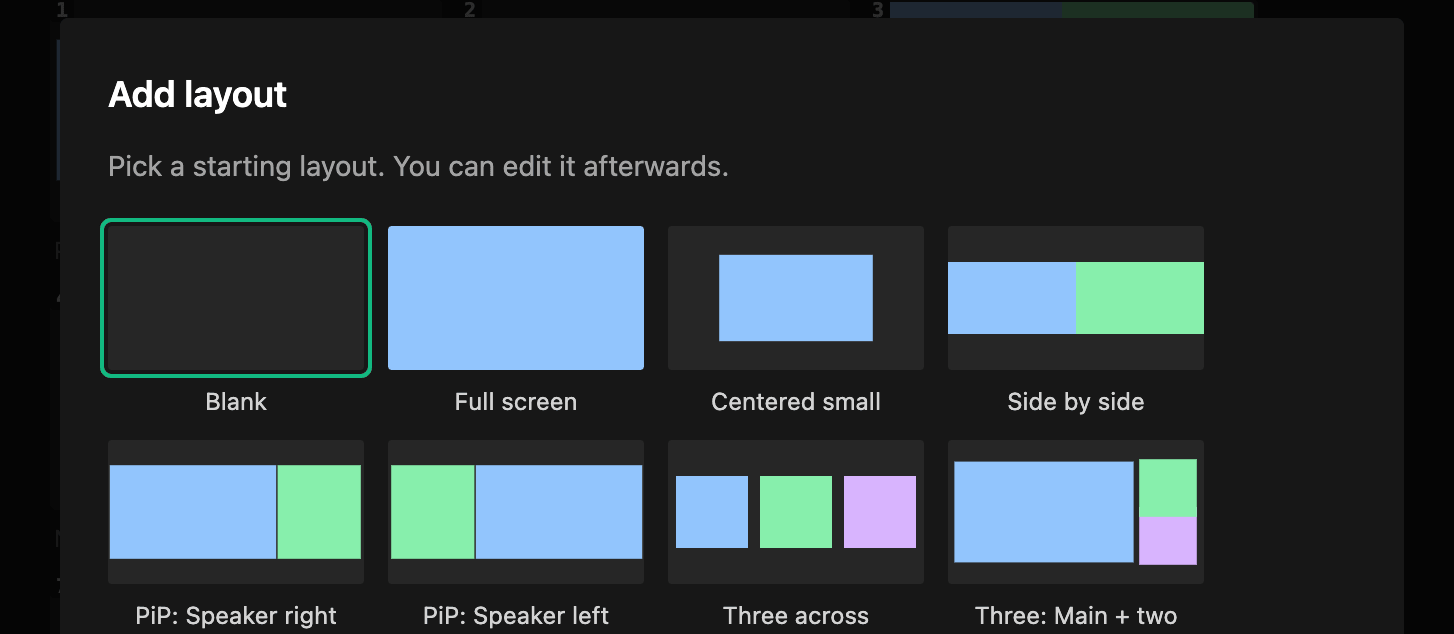
”Add layout” used to drop in a starter layout. Fine but not good enough.
v1.6 replaces that with a picker: 10 starter presets, including blank plus a mix of 1-box, 2-box, 3-box, and 4-box layouts. Pick one that’s close to what you want and customise from there. It’s much faster than building every layout from zero.
The layouts list on the left can now be collapsed with a button at the bottom of the sidebar. This makes more space for all your lovely layouts. Click again to bring it back.
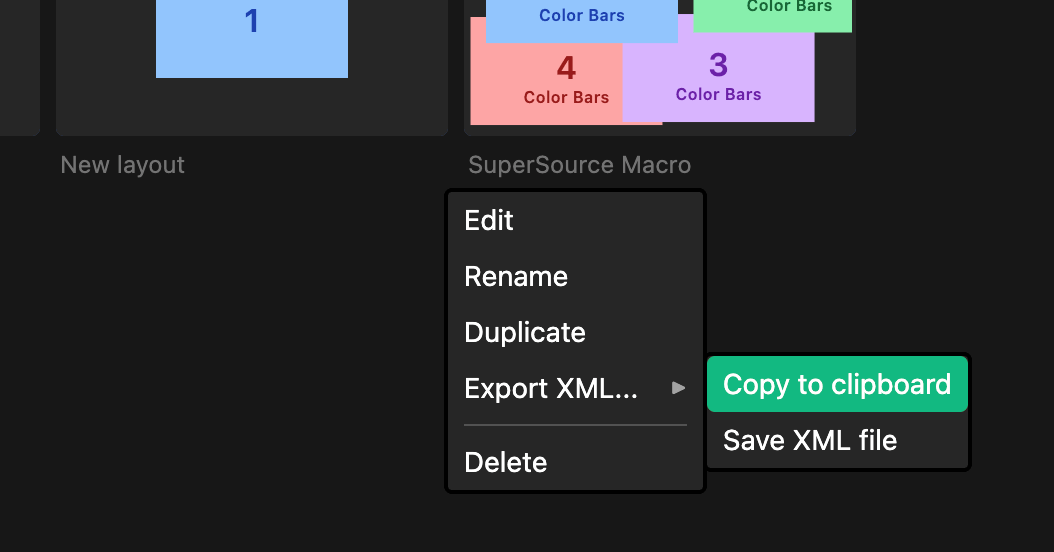
A common request: “I’ve built a layout I love in the app, can I get it out as a standalone macro I can import into my ATEM?”
Now you can. Use the options menu on any layout and you’ll see export options: copy the ATEM XML macro to your clipboard, or save it directly to a file. Drop it into your ATEM’s macro pool and you’ve got a portable macro that’ll work even when the app isn’t running.
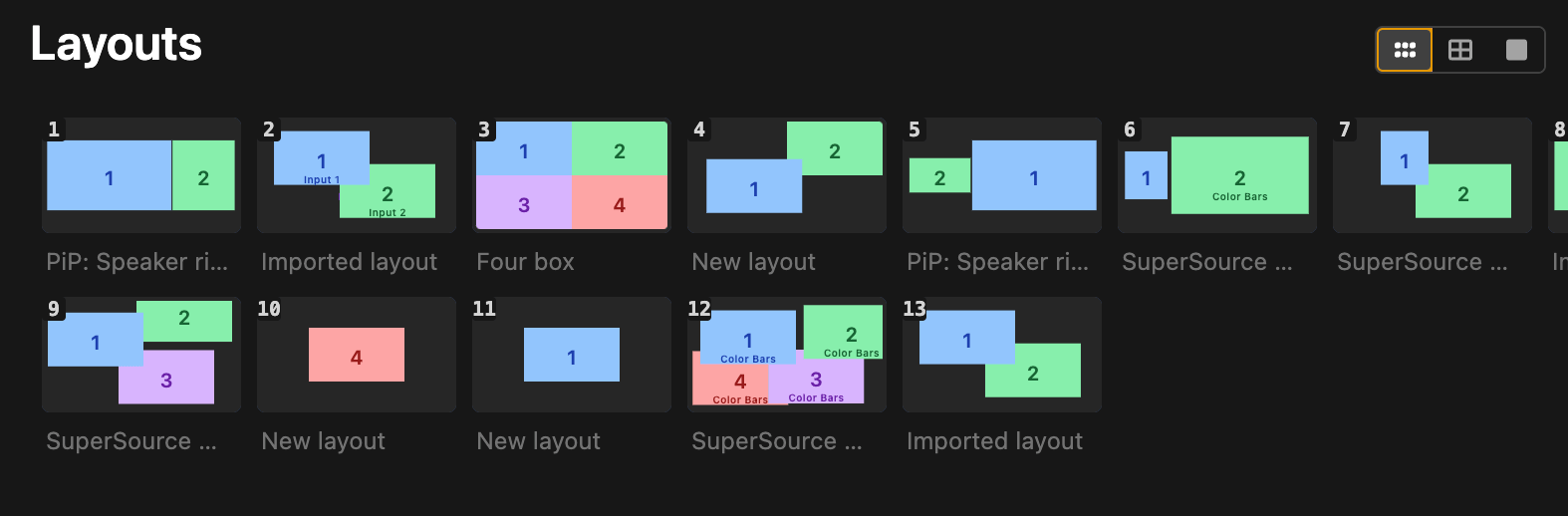
The layouts list now has a size toggle. If you’ve got a handful of layouts and want to see thumbnails, go Large. If you’ve got 100+ layouts and want to scan quickly, go Small. Medium is the middle ground.
v1.6 is free if you already own the app. Head to the download page to grab the latest build, or check the update page if you’ve already purchased.
As always, if you hit anything weird or want to ask for a feature, get in touch.
Simplify building layouts
Create SuperSource macros or vMix virtual sets in seconds.